

Kateryna Levytska News Author for “Mezha”. Working in media since 2015, I write about software, IT business, and cinema. August 14, 16:00 0
Google is rolling out a new Gemini-powered feature called Sheets Canvas, which can transform spreadsheets into custom, interactive mini-applications. This is reported by Android Authority.
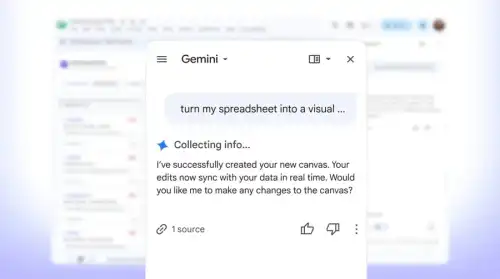
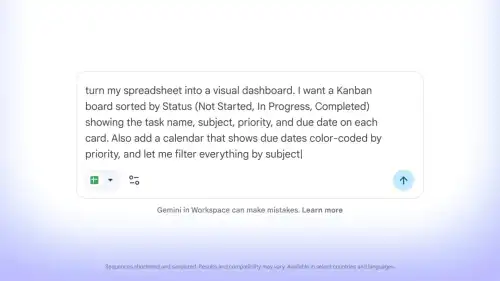
The tool operates based on text prompts entered directly into the Gemini sidebar: you specify what you want to see, and the AI generates an interactive interface based on the data from your spreadsheet.
Related: Gemini in Google Sheets Now Supports Ukrainian Language
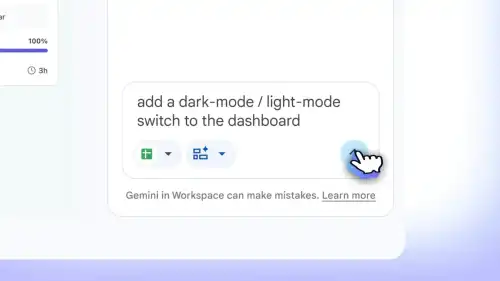
Updates between Canvas and the original spreadsheet are synchronized in real-time, and the initial result can be refined and edited – changes can affect the layout, design, functionality, and more. As with regular spreadsheets, you can share the interactive version with other users.

To view the gallery, please enable JavaScript in your browser.
Google has provided several examples to illustrate the feature’s functionality. Students could input a list of assignments, deadlines, priorities, and other essential information into a spreadsheet. Then, a simple request like “turn my spreadsheet into a visual representation, sorted by status, task name, subject, priority, and due date” would launch a dynamic panel.
Similarly, when planning a wedding, a spreadsheet can store the total number of guests, RSVP information, meal choices, and other details. Subsequently, you could ask Canvas to create, for instance, an interactive seating chart for guests based on this data.
The Sheets Canvas feature is available to subscribers of Google AI Pro or Ultra, but currently only in English. To use the update, simply open a data document in Google Sheets, navigate to the Gemini sidebar, select the “Create canvas” option, and enter your desired prompt.
Read also: Google Sheets Doubles Calculation Speed in Chrome and Edge by Dropping JavaScript